AI IN REVIT

Work with Revit in natural language.

Ask Esattia to inspect, check, organize, select, document, export, or prepare supported Revit actions directly from one interface. More than 100 operations connect natural-language requests to real Revit workflows.

100+ operations Read + write workflows Confirmation before model changes

Esattia flags; the engineer decides.

Request access See what you can ask
AI-in-Revit icon
BUILT-IN AI + MCP

Bring AI into Revit without giving up engineering control.

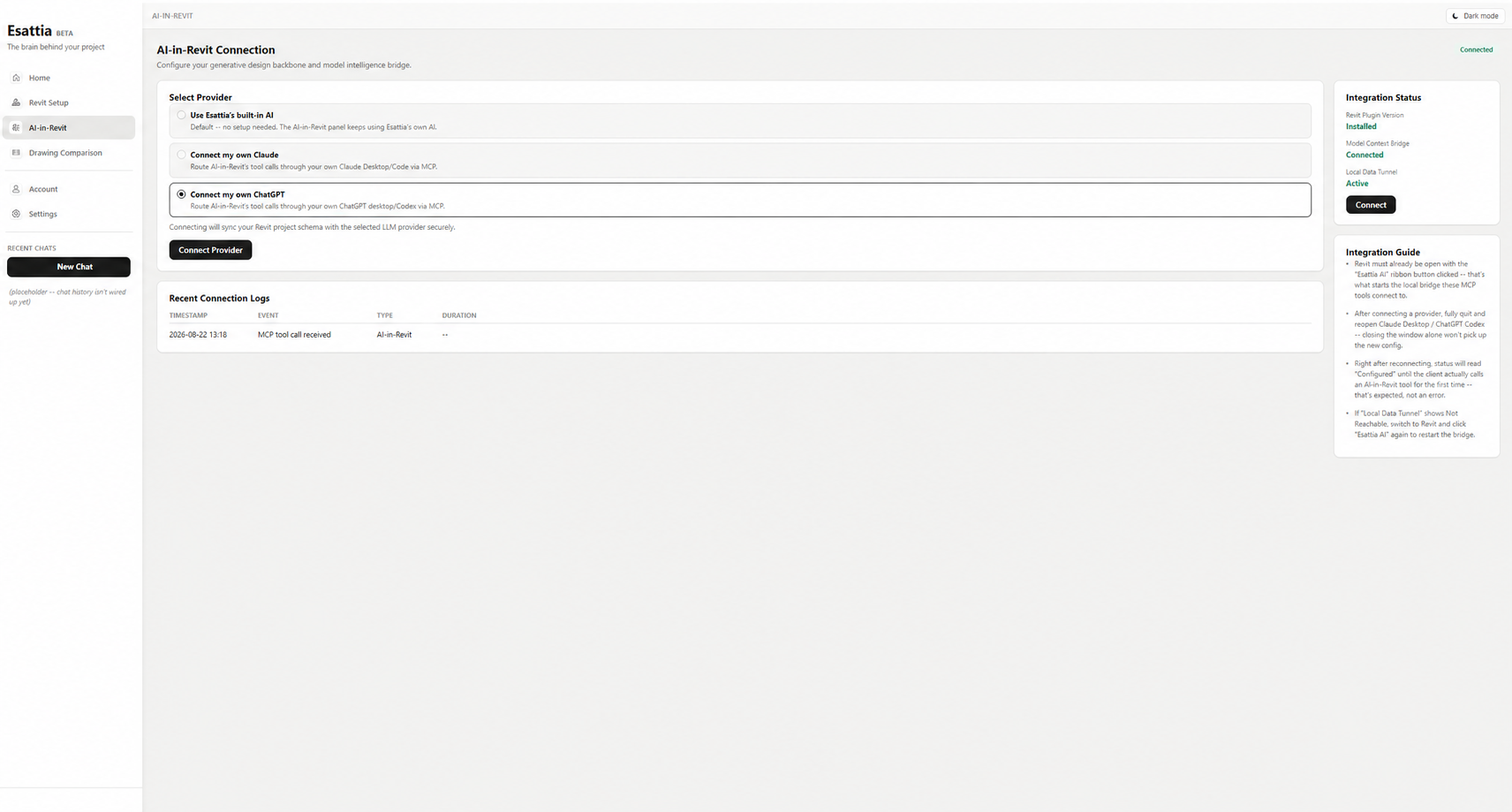
Use Esattia's built-in AI or connect Claude and ChatGPT through MCP to work across 100+ Revit operations. The AI can investigate and propose; the engineer confirms before model-changing actions execute.

Esattia AI-in-Revit interface showing built-in AI, Claude, ChatGPT, and MCP connections
REAL REQUESTS

Ask for the outcome. Esattia maps it to the workflow.

The AI is not the product by itself — it is the interface to supported Revit operations.

“Select all columns on Level 02.”
Esattia interprets the scope and prepares the supported selection operation.
“Which sheets still need attention?”
Use supported checks and project context to focus the review.
“Export these sheets to PDF.”
Esattia prepares the supported export workflow with the intended scope visible.
“Show me the warnings I should review first.”
Surface supported warning information so the reviewer can decide what deserves attention.
“Find the elements related to these findings.”
Connect supported findings back to the model context for inspection.
“Prepare this approved parameter change.”
Esattia makes the proposed scope visible before a model-changing action is confirmed.
100+ OPERATIONS

One interface across the Revit workflow.

Capabilities are grouped by the job you are trying to complete, not by a wall of internal commands.

Check

Pre-Issue Audit, Individual Checks, warnings, consistency review, and other supported QC operations.

Understand

Inspect supported elements, parameters, views, sheets, worksharing, and project information.

Organize

Supported selection, view, sheet, level, naming, and documentation workflows.

Act

Prepare supported parameter and model operations with review before changes are applied.

Deliver

Supported PDF, IFC, schedule, and export workflows for project delivery.

Explore the Toolkit →
FROM FINDING TO ACTION

QC finds. AI investigates. You decide.

Pre-Issue Audit and Esattia AI are designed to work together instead of competing for the same product story.

QC finds → AI investigates → AI proposes → engineer decides

A finding can lead into inspection of the affected context and, where supported, a proposed next action. The engineer remains responsible for deciding whether anything should change.

CONTROL MODEL

Propose → confirm → execute.

Power comes first; control stays explicit. The interface distinguishes what Esattia intends to do from what has actually been approved and completed.

PROPOSE

Understand the intended action

Review scope, options, and any uncertainty before a supported change is made.

CONFIRM

Approve, change, or cancel

The user keeps control over the operation and its scope.

EXECUTE

Run the approved operation

Esattia reports what completed and what still requires review.

READ-ONLY MODE

Explore the model without allowing write tools to run.

Use Read-Only Mode when you want Esattia to inspect, query, navigate, or return findings while keeping model-changing operations blocked.

Checks
Run supported read-only checks and inspect findings.
Context
Query supported model and view information without authorizing changes.
Write boundary
When Read-Only Mode is active, write tools are blocked according to the current product implementation.
EARLY ACCESS

Put natural language on top of real Revit operations.

Request access to the current Esattia preview.