Conversations
Development preview · Review local conversation and project-file references. Invitations, remote identities and cross-office delivery are planned.
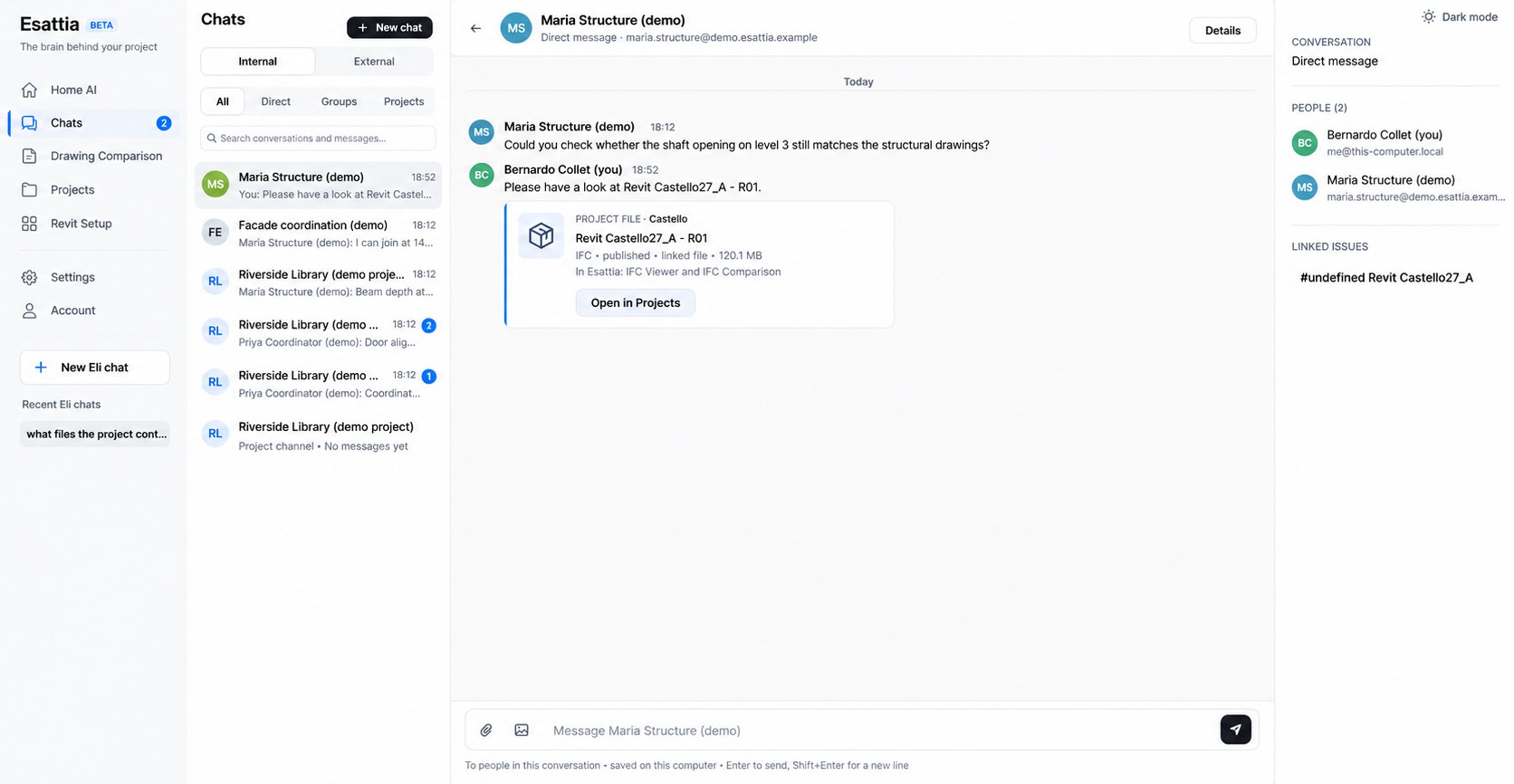
Conversations make more sense when the file, revision and technical question are close by. Esattia is building that connection into professional collaboration.
Development previews connect local conversations with project and file references. Cross-office delivery is planned; Chats are designed to work independently of Projects.
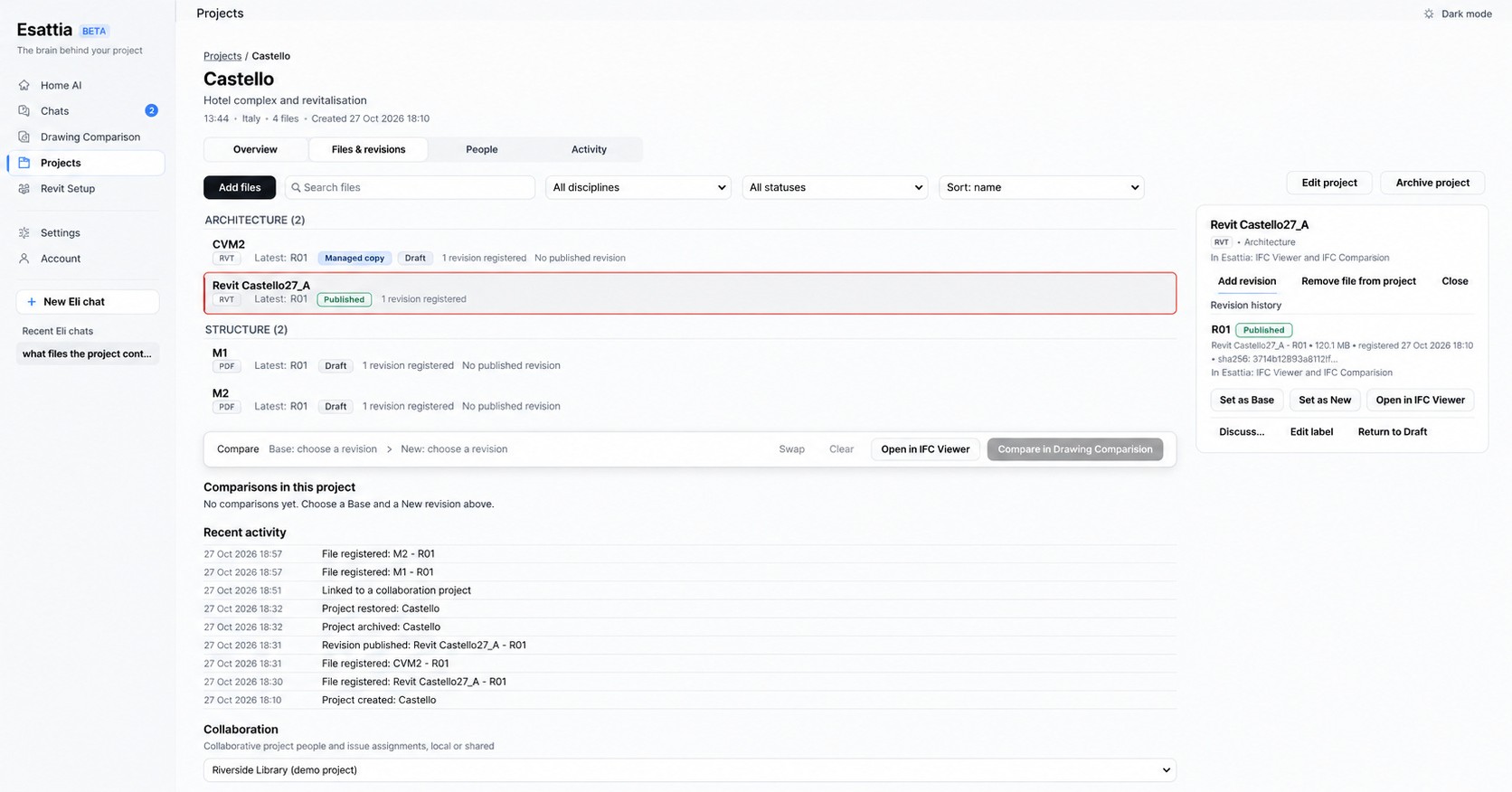
Organize the review around discipline, file and revision. Projects brings draft and published references, revision history and activity into a shared point of reference.
Storing a file does not mean Eli can interpret every format or all its contents. Supported parsing, permissions and selected context determine what an AI-assisted review can use.
Development preview · Review local conversation and project-file references. Invitations, remote identities and cross-office delivery are planned.
Keep a distinguishable base and new revision. Uploading an RVT does not itself establish native RVT viewing or IFC conversion.
Planned · Keep evidence, source revisions, assignments and discussions together as an issue moves through review.
Keep the source revision, discussion and next action together as a finding moves toward a decision. The complete connected journey is planned.
Development previews connect local project files, comparison findings and conversation references. Cross-office delivery and the complete issue lifecycle are planned.
Engineering team communication becomes easier to follow when technical document management and project revision tracking share a point of reference.
A coordinator reviewing an updated model needs more than an attachment name. The intended workflow links a specific revision to a reviewed issue, a responsible colleague and the discussion behind the decision. IFC model review supplies the technical context; Eli and supported Revit tools help investigate the question. Local project/file references are development previews. Cross-office messaging and the complete issue lifecycle are planned.